

Description
Order Recipient Pro for WooCommerce
Send WooCommerce Order Emails to an Additional Invoice Email Address
Order Recipient Pro is a professional WooCommerce extension that allows customers to add an **additional invoice email address** during checkout. The plugin automatically includes the invoice recipient when WooCommerce sends customer order emails, making it ideal for businesses where purchasing and accounting departments use different email addresses.
Whether you run a B2B WooCommerce store, wholesale business, educational institution, government organization, or corporate eCommerce website, Order Recipient Pro simplifies invoice delivery and order communication without changing your existing WooCommerce workflow.
Why Use Order Recipient Pro?
In many businesses, the person placing an order isn’t the one responsible for processing invoices. Instead of manually forwarding emails, Order Recipient Pro lets customers specify an additional recipient during checkout, ensuring invoices and order confirmations reach the correct department automatically.
This improves communication, reduces manual work, and helps accounting teams receive important order information immediately.
Key Features
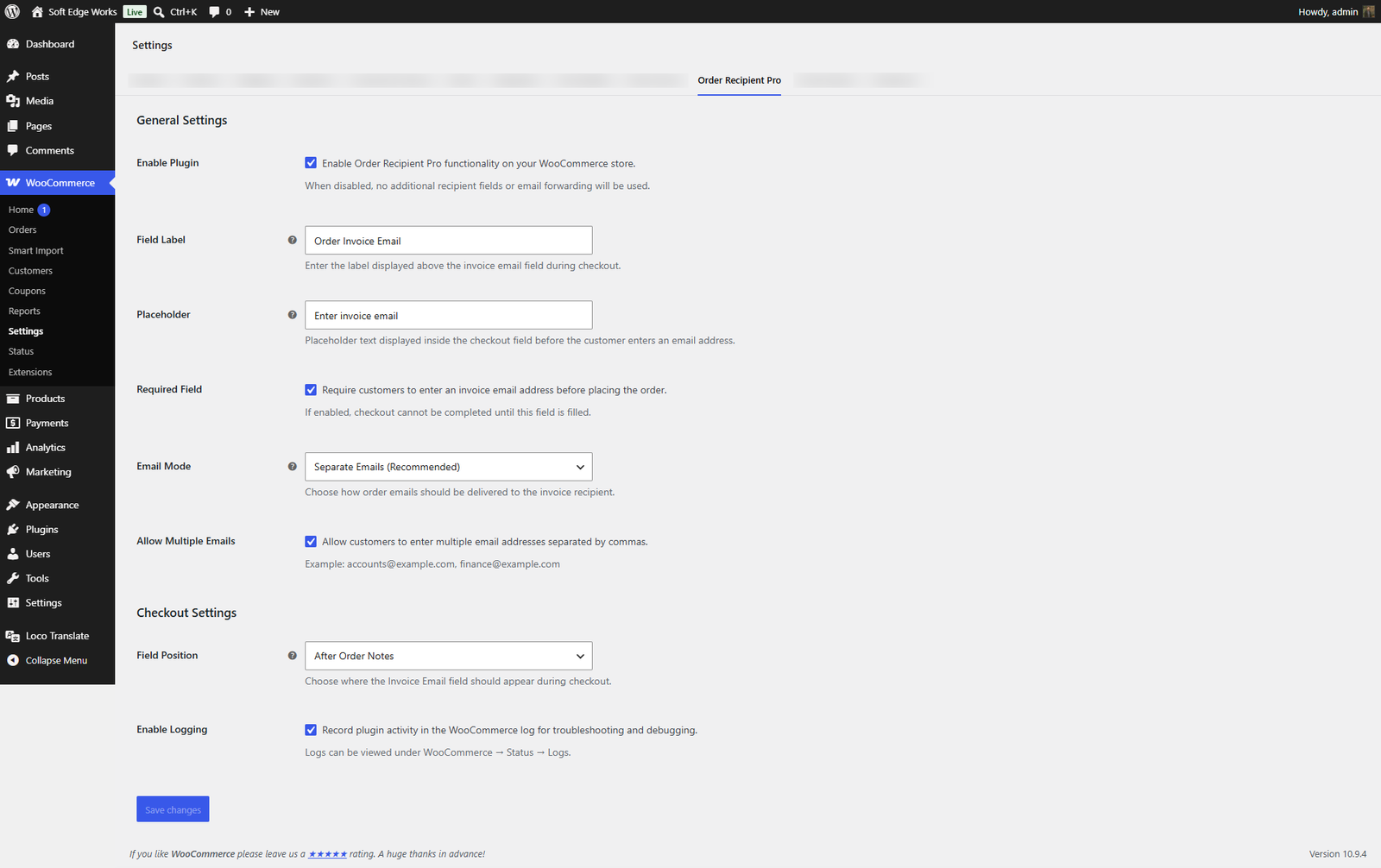
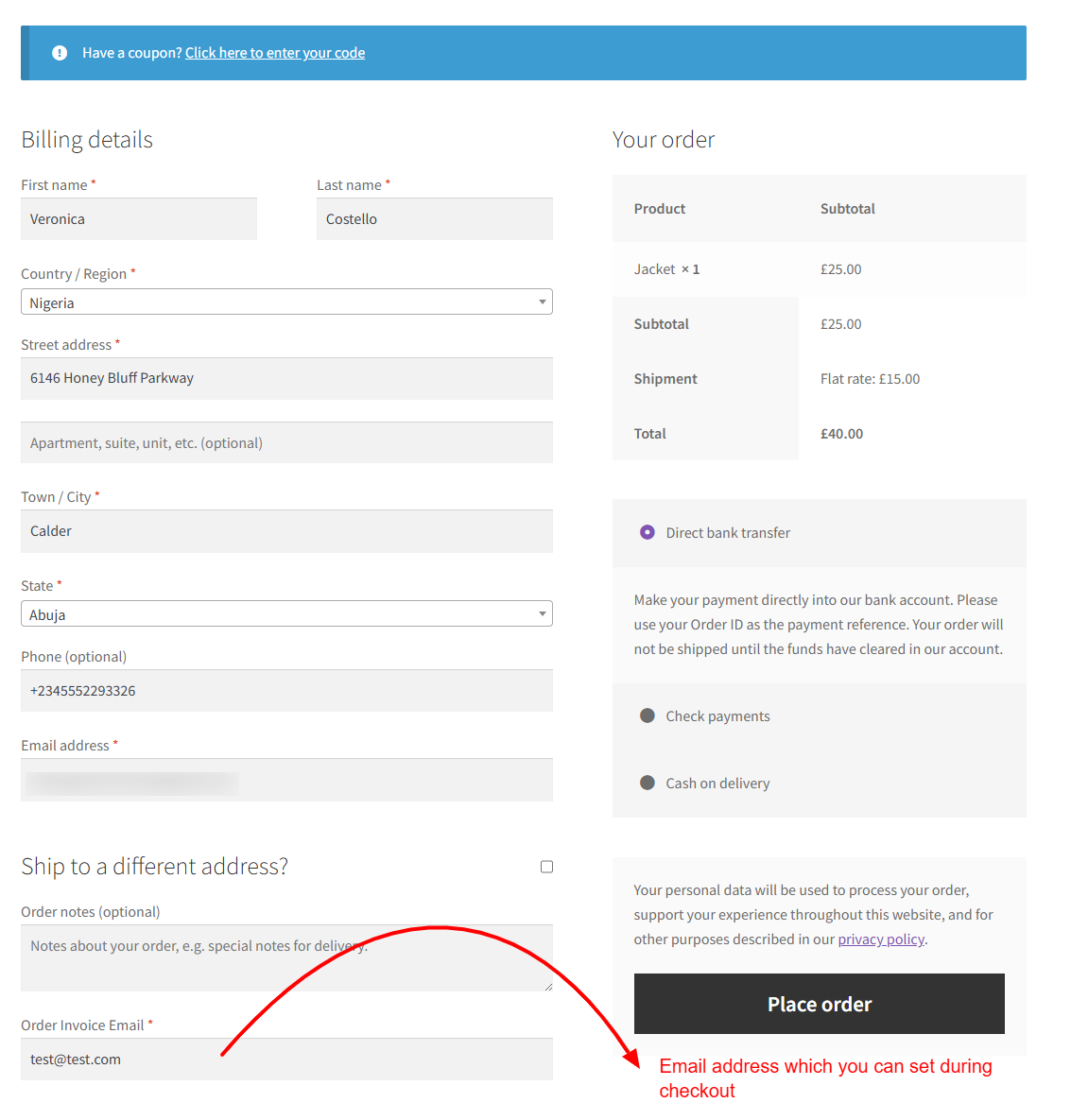
* Add an additional **Invoice Email** field to the WooCommerce checkout.
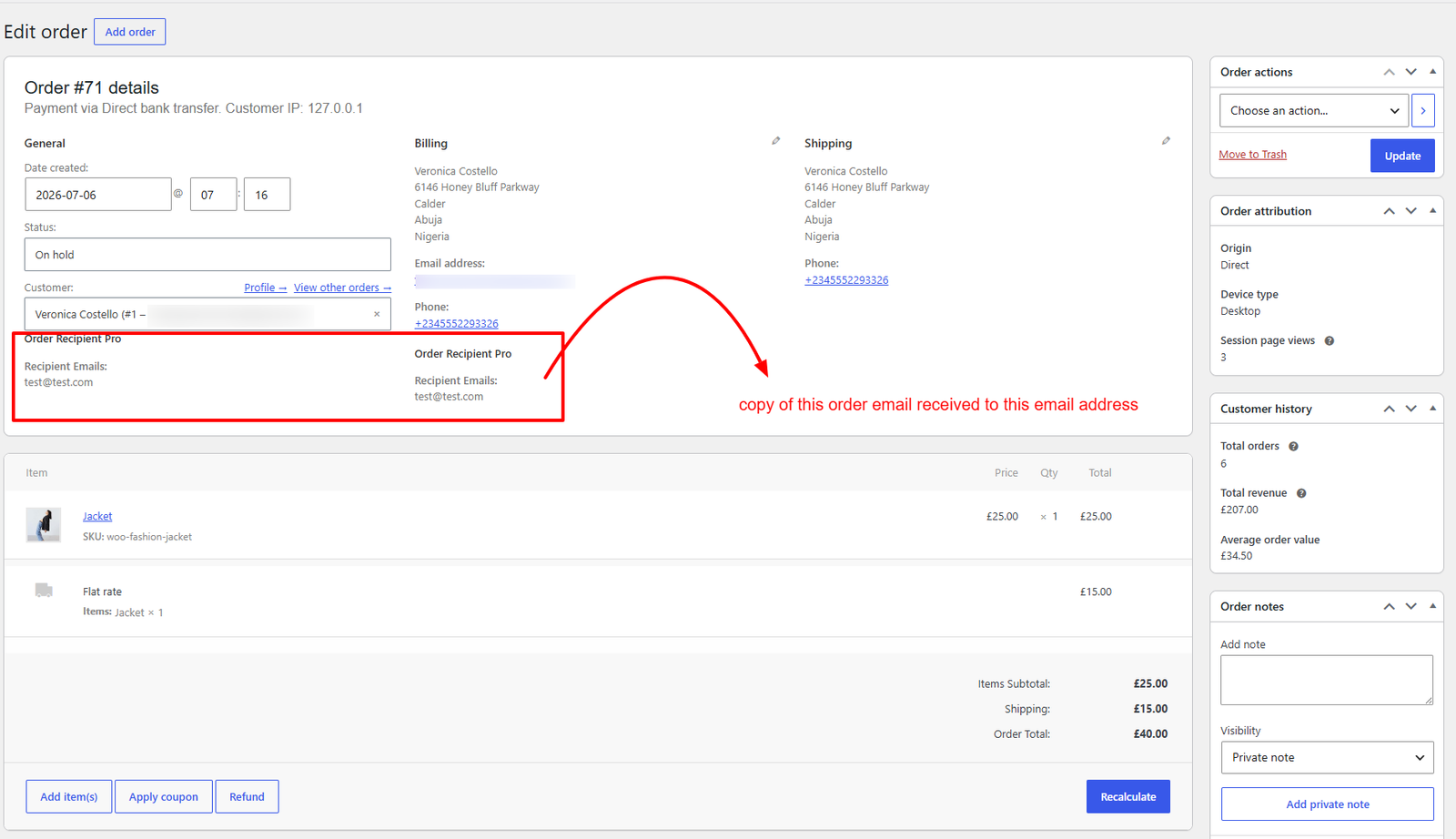
* Send WooCommerce order emails to one or more additional recipients.
* Choose between:
* Separate Email (Recommended)
* CC
* BCC
* Make the invoice email field optional or required.
* Allow multiple invoice email addresses separated by commas.
* Customize the checkout field label and placeholder text.
* Choose where the field appears during checkout.
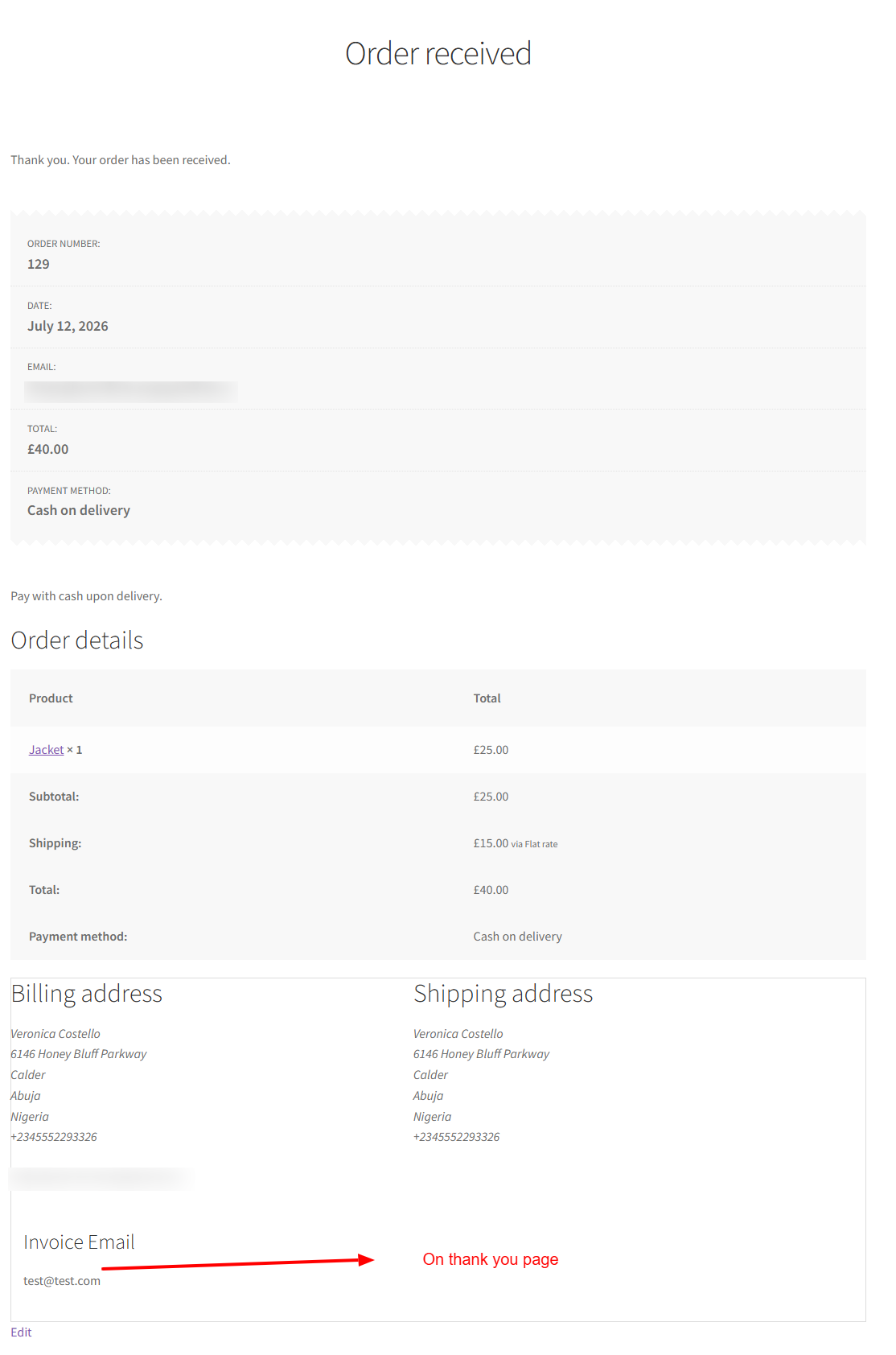
* Automatically save invoice email addresses with each order.
* Display invoice email information on:
* Order Received (Thank You) page
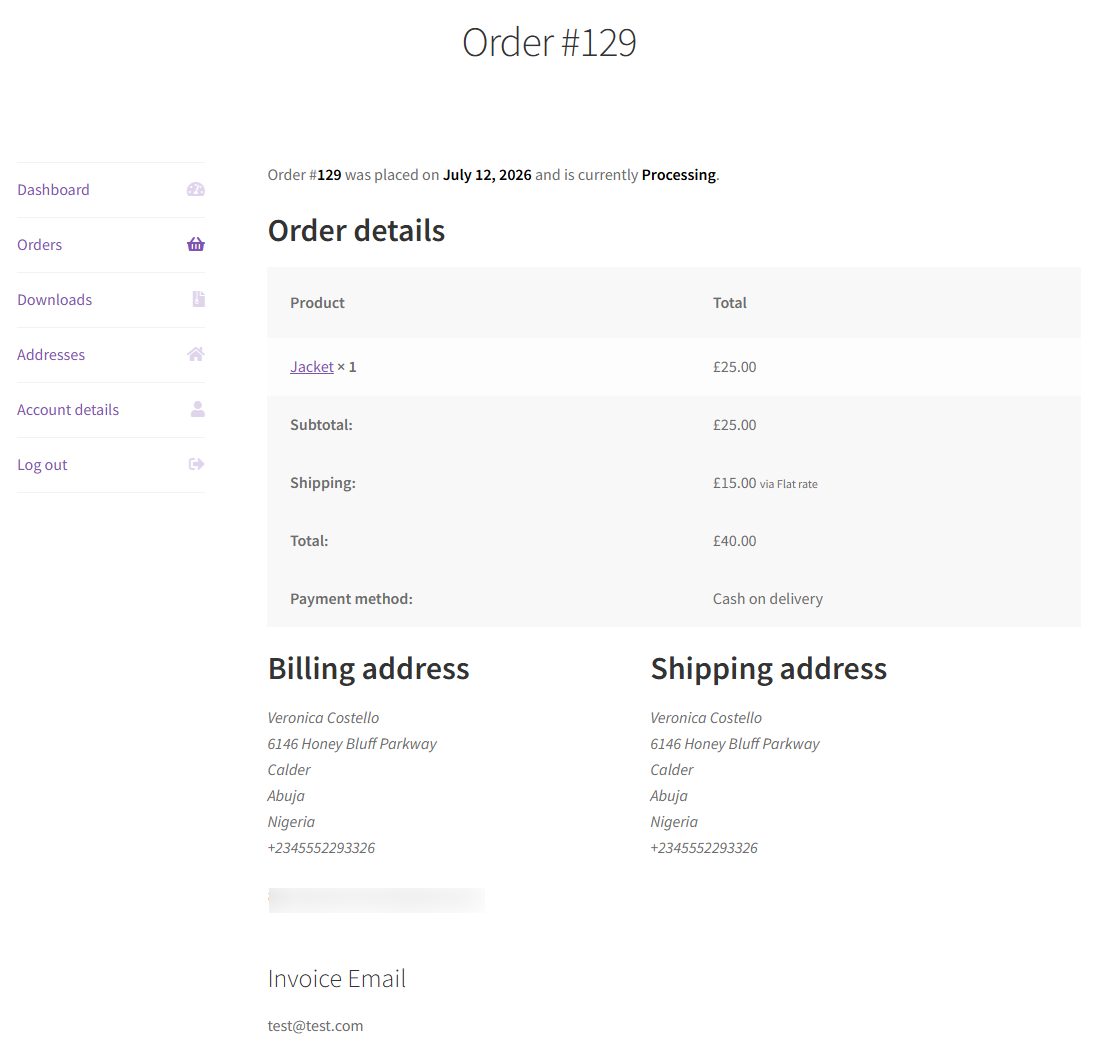
* My Account → Order Details
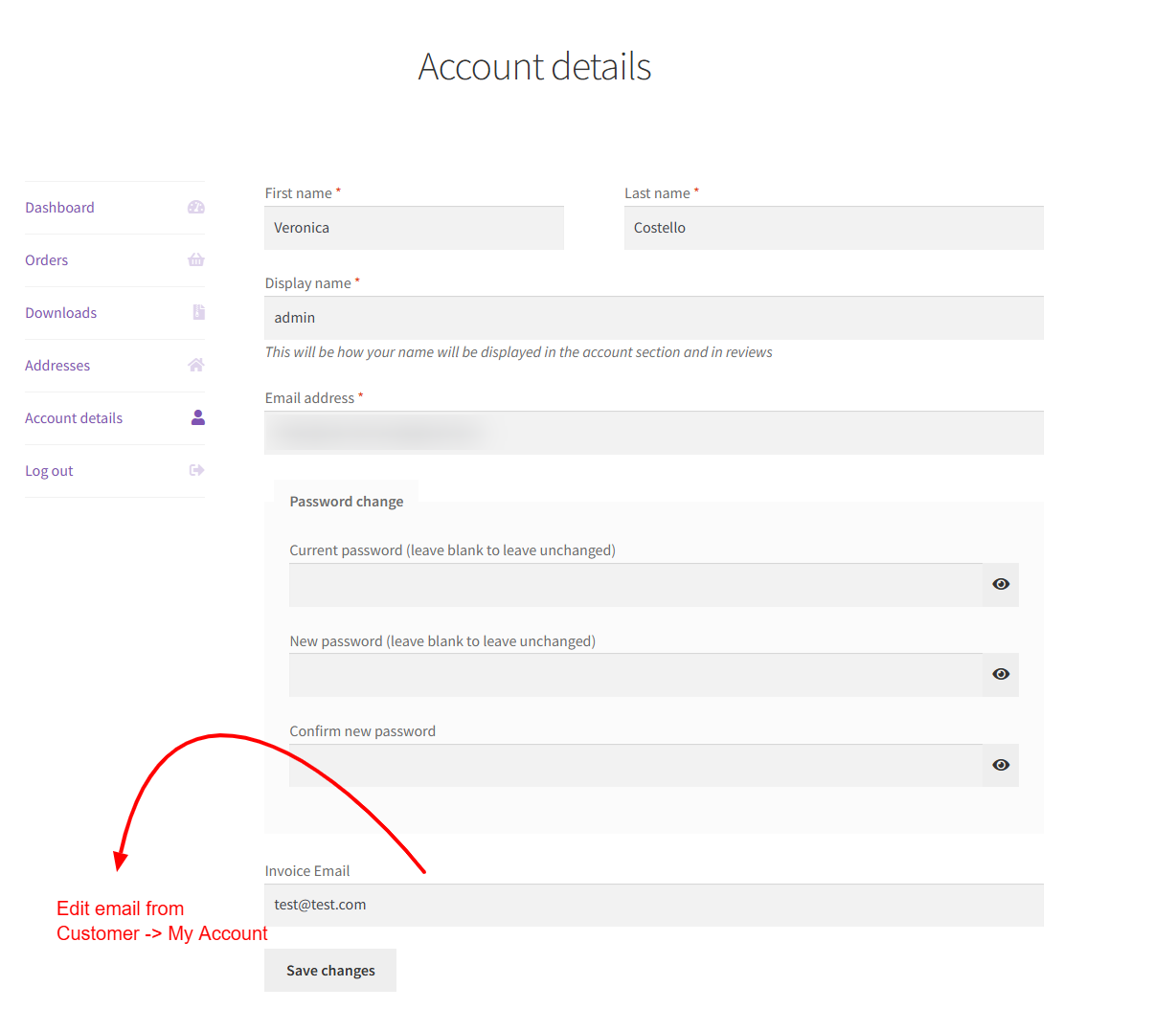
* My Account → Account Details
* WooCommerce Admin Order screen
* Built-in logging for troubleshooting and debugging.
* Compatible with WooCommerce High-Performance Order Storage (HPOS).
* Translation ready.
* Developed following WordPress and WooCommerce coding standards.
Perfect For
Order Recipient Pro is designed for businesses that need to send WooCommerce order notifications to more than one recipient, including:
* B2B and wholesale stores
* Manufacturers and distributors
* Corporate procurement teams
* Accounting and finance departments
* Schools and universities
* Government organizations
* Healthcare providers
* Companies with centralized invoice processing
Benefits
* Reduce manual forwarding of order emails.
* Ensure invoices reach the correct accounting department.
* Improve communication between purchasers and finance teams.
* Enhance the WooCommerce checkout experience for business customers.
* Save time by automating invoice email delivery.
WooCommerce Integration
Order Recipient Pro integrates seamlessly with WooCommerce and uses the native email system to deliver additional order notifications. It supports manual order email resends, customer order emails, and stores invoice email addresses securely with each order for future reference.
A Better WooCommerce Experience for Business Customers
Whether you’re running a small wholesale shop or a large B2B eCommerce store, Order Recipient Pro helps ensure that WooCommerce order confirmations and invoice emails are delivered to the right people—automatically, securely, and efficiently.
Simplify your order communication, reduce administrative work, and provide a more professional checkout experience with Order Recipient Pro.



Reviews
There are no reviews yet.